Master Password Reset Vulnerability in Password Managers
Most people treat their password manager as only as strong as the master password protecting it. That assumption collapses the moment a "forgot password" option exists on the login screen.
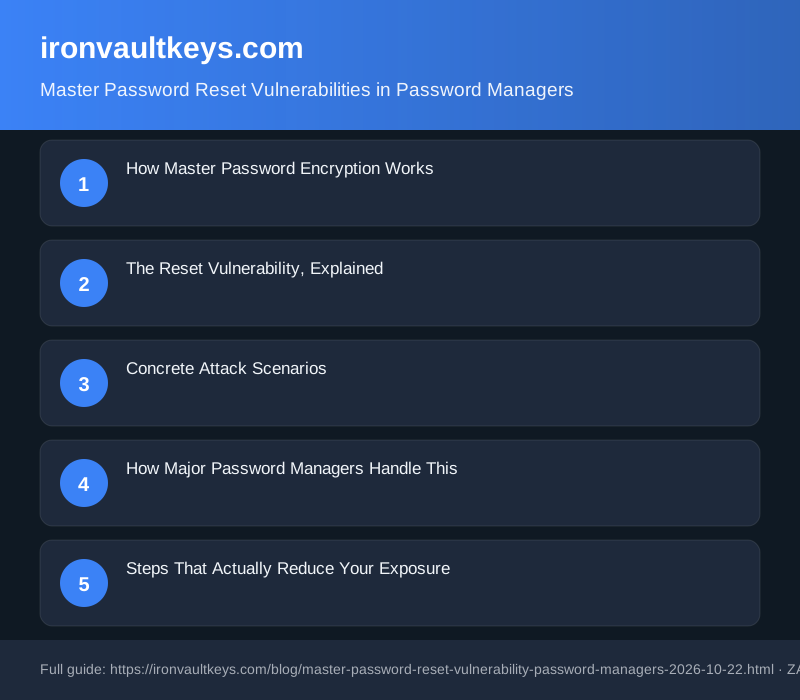
How Master Password Encryption Works
A password manager derives a cryptographic key from your master password using a key derivation function (KDF). Common choices are PBKDF2, bcrypt, and the newer Argon2id. The derived key is never transmitted or stored anywhere; only your encrypted vault sits on the provider's servers. This is the zero-knowledge model: the provider holds ciphertext, not your key, and cannot reverse the process without your password.
The KDF iteration count is not cosmetic. PBKDF2-SHA256 at 600,000 iterations demands far more computation per brute-force attempt than the same algorithm at 5,000. After the 2022 LastPass breach, researchers found that some accounts had been created with iteration counts as low as 1, giving master passwords almost no computational protection against offline attack. Bitwarden later raised its default to 600,000 iterations with PBKDF2-SHA256. 1Password goes further: it combines PBKDF2 with a locally generated 128-bit Secret Key that its servers never receive.
The iteration count you use today matters if your encrypted vault is ever stolen. That is not a hypothetical scenario.
The Reset Vulnerability, Explained
Genuine zero-knowledge architecture makes master password reset mathematically impossible. If the provider cannot derive your encryption key, they cannot re-encrypt your vault under a new one. So when a service offers a reset path, it is doing one of three things:
- Re-encrypting your vault using a recovery key it holds server-side, or that you stored in a retrievable location.
- Deleting your existing vault and giving you a blank account.
- Using an escrow mechanism: a recovery copy of the vault encrypted under a secondary key, separate from your master password.
Options 1 and 3 introduce a secondary attack surface. An attacker who compromises your email account can trigger a reset link, set a new master password, and walk straight into your vault. Your original password is now irrelevant. The recovery flow has become the weakest point, not the password itself.
Concrete Attack Scenarios
Email account takeover
If the password manager sends a reset link to your email address, your inbox is the actual gatekeeper to your vault. SIM-swapping, phishing, and credential stuffing against webmail providers are all documented attack paths. Securing your password manager without securing your email account first is a category error.
Social engineering the support desk
Some providers allow recovery via identity verification with a support agent. An attacker equipped with leaked personal data can sometimes convincingly impersonate a user. This attack class is well-documented against domain registrars, cloud hosting providers, and social media platforms. Any password manager offering manual recovery through a support team faces the same exposure.
Stolen or exposed recovery codes
Several managers generate one-time recovery codes at setup. If that code was emailed to the user, saved to a Downloads folder, or photographed and synced to a cloud photo library, it is already exposed. The vault's security then depends entirely on wherever that code ended up, which is often somewhere far less secure than the vault itself.
Offline brute-force against stolen vault files
Strictly speaking, this is not a reset vulnerability. However, it sits in the same threat model. When encrypted vault files are exfiltrated (as happened with LastPass in 2022), attackers can attempt offline dictionary attacks against the master password without ever touching the account login. A weak master password protected by low-iteration PBKDF2 falls quickly. The same password protected by Argon2id at recommended settings represents a substantially larger computational obstacle.
How Major Password Managers Handle This
1Password combines your master password with a locally generated Secret Key: a 34-character string that 1Password's servers never receive. Decrypting the vault requires both. If you lose the Secret Key and do not have your printed Emergency Kit, 1Password cannot recover your account. That is a deliberate architectural choice, not an oversight.
Bitwarden encrypts vault data with AES-256 and never transmits the master password to its servers. Its emergency access feature allows a trusted contact to request vault access after a waiting period you configure yourself. Bitwarden added Argon2id as an optional KDF in 2023, giving users a memory-hard alternative to PBKDF2.
Dashlane and LastPass have historically offered broader recovery options, including device-based recovery and SMS fallback. Each additional path adds convenience, and adds attack surface in equal measure. The 2022 LastPass vault exfiltration made this concrete: accounts with weak master passwords and low iteration counts became live targets for offline cracking. Strong passwords with high iteration counts remained computationally secure regardless.
The pattern is consistent across the industry. Every recovery mechanism a provider adds is a mechanism an attacker can target. Security and recoverability trade off against each other, and most users never read the documentation that explains which side their chosen service has landed on.
Steps That Actually Reduce Your Exposure
Start with your email account, not your password manager. Compromised email undoes most precautions downstream. Enable two-factor authentication on your inbox, and where possible use a hardware security key rather than SMS-based codes.
We earn a commission if you buy through links on this page.
The YubiKey 5 NFC by Yubico supports FIDO2, WebAuthn, and TOTP, and is widely used for locking down email accounts and password manager logins. Adding one to your email address closes the most commonly exploited entry point against reset-capable password managers.
Next, audit your password manager's recovery settings. Remove any recovery paths you have not intentionally set up. If recovery codes were generated at account creation, move them offline: a fireproof safe or a sealed envelope stored separately from your devices. Do not keep them in your Downloads folder, in the vault itself, or in an email you sent to yourself.
Set a strong, unique master password. Do not configure a password hint. Where your manager supports it, switch the KDF to Argon2id. Enable login notifications so any sign-in attempt is visible to you immediately.
If you are choosing a new manager, the Secret Key model deserves serious weight. With 1Password, a stolen encrypted vault file is computationally infeasible to crack without both the master password and the Secret Key. That is a structural difference from managers that rely solely on the master password.
FAQ
Can a password manager reset your master password?
It depends on the architecture. Genuinely zero-knowledge services, including 1Password and Bitwarden's default configuration, cannot reset a master password because the provider does not hold the decryption key. Services that offer email-based or support-assisted reset are not fully zero-knowledge for that recovery path. Check your provider's security whitepaper to understand exactly which model applies to your account.
What happens if you forget your master password and there is no reset option?
Your encrypted vault is unrecoverable without the master password (and, for 1Password, the Secret Key). This is intentional. Some services offer hint functionality or emergency access through a trusted contact with a configurable delay period. Without any of those, the data is inaccessible. Write your master password down and store it securely offline, not in a digital note.
Was the 2022 LastPass breach a master password reset vulnerability?
Not in the direct sense. Attackers exfiltrated encrypted vault data from a backup environment. The failure was in storage infrastructure, not the reset mechanism. The downstream risk was offline brute-force against vaults with weak master passwords or low PBKDF2 iteration counts. Accounts with strong passwords and high iteration counts remained computationally secure even with the vault file in attacker hands.
Does a hardware security key protect your password vault encryption?
A hardware key protects the login to your password manager's interface. It does not protect the vault encryption against offline attack. An attacker who obtains an encrypted vault file can attempt to crack it without touching the account login. Hardware keys and strong KDF settings address different parts of the threat model. Both matter and neither replaces the other.
Which KDF is safest for a password manager?
Argon2id, the winner of the 2015 Password Hashing Competition, is the current OWASP recommendation. It is memory-hard, making GPU-based cracking attacks significantly more expensive compared with PBKDF2 at standard configurations. Bitwarden added Argon2id support in 2023. If your manager only offers PBKDF2, set the iteration count as high as the interface permits while keeping the app responsive on your device.