🤖 Service Account Password Management: Enterprise NHI Credential Guide (2026)
When Colonial Pipeline was shut down in May 2021, the initial foothold was a single compromised VPN password tied to a legacy account that no longer had an active user behind it. The account still had network access. Nobody had rotated the password in years. The ransomware operators found it in a batch of credentials purchased from a dark web market for a few dollars. That one dormant credential cost the company $4.4 million in ransom and triggered a national fuel shortage on the US East Coast.
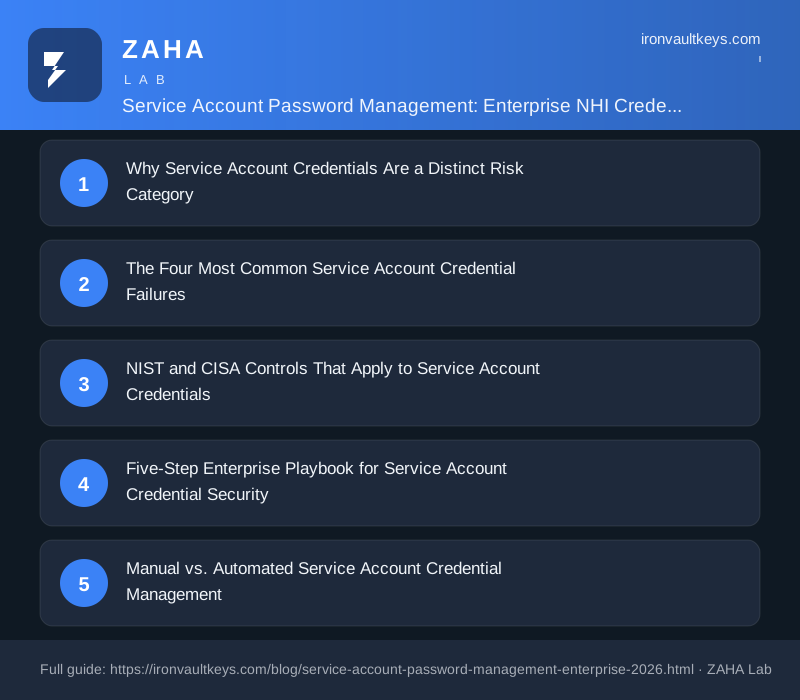
Why Service Account Credentials Are a Distinct Risk Category
Standard enterprise identity governance processes are designed for human users. A joiner-mover-leaver workflow handles provisioning, role changes, and deprovisioning. MFA enforcement covers interactive logins. Password policies apply at the directory level. Service accounts sit outside almost all of these controls.
Three properties make them uniquely dangerous.
First, they accumulate silently. Every CI/CD pipeline deployment, every SaaS integration, every scheduled backup job creates at least one service account. In mature enterprises, machine identities often outnumber human accounts by a ratio of three to one or higher. Most organisations have no definitive count of how many they operate.
Second, they rarely lose access. Human accounts get deprovisioned when employees leave. Service accounts are tied to applications, and those applications stay running. An account created in 2019 for a monitoring tool that was replaced in 2021 may still be active and valid in 2026, holding permissions its original owner long ago forgot.
Third, they bypass MFA entirely. Interactive MFA requires a human to respond to a push notification or enter a TOTP code. Service accounts authenticate programmatically. A compromised service account credential provides an attacker with direct, automated access to whatever that account can reach, with no second factor to block them.
NIST SP 800-53 Rev 5 addresses this directly. Control AC-2(7) specifies that privileged account management must cover non-user accounts as well as user accounts: "The organization establishes and administers privileged user accounts in accordance with a role-based access scheme that organizes allowed information system access and privileges into roles." The guidance explicitly includes service accounts within scope of privileged account management.
The Four Most Common Service Account Credential Failures
1. Shared Credentials Across Multiple Applications
A single service account password used by a monitoring agent, a deployment script, and a log forwarder is a single point of compromise. If any one of those three systems is breached, the attacker inherits access to all three. Worse, rotating the password to contain the breach breaks the other two applications simultaneously, creating an incentive not to rotate at all.
2. Passwords Stored in Plaintext Config Files
Service account passwords embedded in configuration files, environment variable files, and source code repositories are one of the most common credential exposure paths. The GitHub Secret Scanning programme has detected hundreds of thousands of live credentials in public repositories since it launched, a substantial share of them service account tokens and API keys. The number in private repositories is almost certainly higher.
3. No Rotation Policy or Rotation That Never Executes
Many organisations have a rotation policy on paper. Quarterly rotation, annual review, event-triggered rotation after a breach. In practice, the rotation either never happens because the application owner says it will break integrations, or it executes manually on a spreadsheet cycle that falls months behind schedule. NIST IA-5(1)(d) requires organisational processes to enforce password rotation "when compromise is detected or suspected." That obligation applies equally to service accounts.
4. Over-Privileged Service Accounts
Service accounts accumulate permissions over time. A backup job that originally needed read access to a file share gets domain admin rights added during a weekend incident because someone was in a hurry. Those rights are never removed. NIST AC-6 (Least Privilege) requires privileges to be constrained to the minimum needed for the function. For service accounts, this means role-scoped permissions reviewed at least annually.
NIST and CISA Controls That Apply to Service Account Credentials
| Control | Framework | Requirement Relevant to Service Accounts |
|---|---|---|
| AC-2 | NIST SP 800-53 Rev 5 | Inventory all accounts including non-user accounts; define conditions for group and shared accounts |
| AC-2(7) | NIST SP 800-53 Rev 5 | Manage privileged accounts including non-human privileged accounts with role-based access schemes |
| AC-6 | NIST SP 800-53 Rev 5 | Enforce least privilege for all account types; prohibit over-provisioning of service account roles |
| IA-5 | NIST SP 800-53 Rev 5 | Manage authenticators including passwords for non-human accounts; enforce rotation and minimum length |
| IA-5(1) | NIST SP 800-53 Rev 5 | Enforce password complexity and rotation requirements for all password-based authenticators |
| AU-12 | NIST SP 800-53 Rev 5 | Generate audit records for service account authentication events and privilege use |
| PR.AA-05 | NIST CSF 2.0 | Access permissions and entitlements managed, incorporating principles of least privilege and separation of duties |
| PAM guidance | CISA Cybersecurity Advisory AA23-278A | Store privileged credentials in a PAM vault; avoid embedding credentials in scripts or config files |
CISA's Cybersecurity Advisory AA23-278A, co-authored with the NSA and released in October 2023, includes a specific warning about service account credential exposure: "Organisations should ensure that service accounts and other non-human identities are managed with the same rigor applied to privileged human user accounts, including credential vaulting, rotation enforcement, and access scope limitation."
Five-Step Enterprise Playbook for Service Account Credential Security
Step 1: Build a Complete Inventory
You cannot protect what you have not found. Run an automated scan of Active Directory for accounts with the "Service Account" OU, delegation settings, or non-expiring password flags. Query Entra ID (Azure AD) for service principals and managed identities. Scan your CI/CD pipelines, IaC repositories, and configuration management databases for hardcoded credentials. The result should be a single inventory file that names each account, its owning team, its systems of access, and the last time its password was reviewed.
Step 2: Vault All Service Account Credentials
No service account password should exist outside a privileged access management (PAM) system after this step. Platforms in this category include CyberArk, BeyondTrust, HashiCorp Vault, and Delinea. At minimum, the vault provides a single authoritative source for each credential, restricts who can retrieve it, and logs every retrieval event. Applications that currently have passwords hardcoded in config files should be migrated to dynamic secret injection, where the application requests a credential from the vault at runtime and the vault issues a short-lived token rather than a static password.
Step 3: Enforce Unique Credentials Per Account, Per System
One service account, one password. If the same credential is used across multiple applications, split them now. Yes, this adds overhead. The alternative is a single credential compromise propagating across your entire environment. Each account should have a randomly generated password of at least 20 characters, generated by the PAM system, never known to any human, and never stored anywhere except the vault.
Step 4: Set Rotation Schedules and Test Them
Define rotation frequency per risk tier. Externally-facing service accounts and those with elevated domain privileges should rotate every 30 to 90 days. Internal low-privilege accounts can rotate annually as a minimum. The critical test: do your applications successfully pick up the rotated credential from the vault without manual intervention? Run a quarterly rotation drill on one non-critical service account in every environment. If it breaks something, you have found a hardcoded credential that was not caught in Step 2.
Step 5: Monitor for Anomalous Service Account Activity
Service accounts have predictable behaviour patterns. A backup job runs at 02:00 from a specific host. A monitoring agent authenticates every 60 seconds from a fixed IP. Any deviation is a detection signal. Build SIEM rules that alert on service account logins from new source IPs, logins at unusual hours, interactive logins (service accounts should never log in interactively), and privilege escalation events tied to service account principals. These rules generate almost no false positives when tuned to the specific account's normal pattern.
Manual vs. Automated Service Account Credential Management
| Dimension | Manual Approach | Automated (PAM-Driven) Approach |
|---|---|---|
| Inventory completeness | Depends on documentation discipline; typically 60-70% of accounts known | Discovery scan finds accounts that no spreadsheet captures |
| Credential storage | Spreadsheets, password managers shared by teams, config files | PAM vault with individual access controls and full audit trail |
| Rotation execution | Missed cycles, "we'll do it after the next release" delays | Scheduled rotation with application integration tests |
| Breach response time | Hours to days to identify and rotate affected accounts | Minutes: vault revokes and reissues credential on command |
| Audit evidence | Difficult to produce; relies on manual notes and spreadsheet history | Full timestamped log of every credential access and rotation event |
| NIST AC-2 compliance | Partial at best; hard to demonstrate inventory completeness to auditors | Full: inventory, access governance, and audit logs in one system |
Audit Readiness: What Assessors Look For in Service Account Credential Controls
When SOC 2, ISO 27001, FedRAMP, or PCI DSS auditors examine service account credential management, they look for four things. An inventory that accounts for all non-human identities in scope. Evidence that credentials are stored in a controlled system with access logging. Documentation of a rotation policy with records showing the policy was actually executed. And access review records showing that service account privileges were reviewed at least annually.
The most common audit finding in this area is not that organisations lack a policy. It is that the policy exists but the evidence of execution is missing. A PAM system solves this by generating the audit trail automatically. Without one, teams spend days before each audit gathering screenshots and spreadsheet logs that assessors treat as weak evidence.
For enterprises that need to harden credential governance quickly, NordPass Business provides a starting point for centralised credential vaulting with access controls, user-level permission scoping, and activity reporting. It handles the human-facing credential layer, and for organisations not yet ready to deploy a full PAM system, it removes the most common failure point: passwords stored in shared spreadsheets or passed between teams over Slack.
FAQs
What is service account password management?
Service account password management is the practice of controlling the full lifecycle of credentials used by non-human identities in an enterprise environment. This includes inventorying all service accounts, storing their credentials in a privileged access management vault, enforcing unique passwords per account, rotating credentials on a defined schedule, and monitoring authentication logs for anomalous behaviour. NIST SP 800-53 Rev 5 controls AC-2, AC-6, and IA-5 collectively define the governance requirements.
How often should service account passwords be rotated?
NIST SP 800-53 Rev 5 IA-5(1)(d) requires rotation when compromise is suspected and at organisation-defined intervals. In practice, security teams commonly apply a 30-to-90-day rotation cycle for privileged service accounts with domain or cloud-admin access, and 90-to-180-day cycles for lower-privilege internal accounts. The more important control is event-triggered rotation: any time a breach is suspected, any time a team member who knew the credential leaves, and any time a system using the credential is decommissioned.
Why can't MFA protect service accounts the way it protects user accounts?
MFA for interactive logins requires a human to respond to a prompt. Service accounts authenticate programmatically, typically via API calls or LDAP bind operations, where there is no human in the loop to approve an MFA challenge. This means a compromised service account credential grants direct access with no second factor. The compensating controls are: strong unique passwords generated by a PAM system, access scoped to the minimum required, anomaly monitoring on authentication events, and short-lived dynamic credentials where possible.
What is the difference between a service account and a managed identity?
A service account is a traditional directory account created manually, assigned a static password, and used by an application to authenticate. A managed identity is a cloud-native alternative available in platforms like Azure and AWS, where the cloud provider handles credential issuance and rotation automatically. The application authenticates using a token issued by the cloud platform's identity service, with no static password involved. Managed identities eliminate the rotation and storage problem for cloud workloads, but they are not available for on-premises systems, legacy applications, or third-party SaaS integrations, where traditional service accounts remain the only option.
How do attackers commonly exploit service account credentials?
The most common path is credential discovery in exposed repositories or misconfigured storage. Attackers scan GitHub, S3 buckets, and public-facing servers for configuration files containing service account passwords. Once found, the credential is tested against the target environment. Because service accounts often hold elevated privileges and lack MFA, a single valid credential can provide significant lateral movement capability. Kerberoasting is a specific Active Directory attack where an attacker requests a Kerberos service ticket for a service account principal, then cracks the ticket offline to recover the password. Service accounts with weak passwords and high privileges are the primary target.